
Volume Booster - Sound Booster
360 ToolMusic & Audio
4.729.33K Reviews
- Version
- 3.0.0.61
- Installs
- 50.00M
- Age Rating
- Everyone
Screenshots

Our Review of Volume Booster - Sound Booster
 Analysis by Appyee
I treat a volume booster as a small adjustment tool, not a replacement for good speakers or headphones. That distinction matters with Volume Booster - Sound Booster: it can be useful when a podcast or video is quieter than expected, but turning up processed audio is not the same as improving the source. I’d start with a modest boost and listen for distortion before relying on it for a whole playlist.
Who is likely to get the most from it?
This is most appealing if your everyday problem is simply that media sounds too quiet at a comfortable listening level. Think of a spoken video playing from a phone speaker while you cook, or a podcast you want to hear without holding the phone close. It may also help when a recording has uneven loudness, though a boost cannot restore detail that was never captured clearly.
I’d be more cautious if you already listen near the top of your device’s volume range, have sensitive hearing, or expect a weak speaker to produce rich, room-filling sound. More level can make an audio signal louder, but it cannot change the physical limits of a speaker. For music where clean bass and a wide stereo image matter, decent headphones or an external speaker are usually a better answer than pushing a phone beyond its comfortable range.
A practical way to use the controls
Rather than moving every control at once, I’d play a familiar track or video at a normal level and make one small adjustment at a time. If the app’s volume control is the only change, it is easier to tell whether the result is genuinely clearer or merely louder. Then try the tone controls separately: a little bass may make thin music feel fuller, while reducing an overly strong bass setting can keep speech from sounding muddy.
There is a useful trade-off here. Boosting bass can make music more satisfying on some headphones, but it may also mask voices or expose rattling in small speakers. Treble can help speech feel more present, yet too much may make sharp sounds tiring. I would save a comfortable setting for the kind of listening I do most, then make brief adjustments for an unusually quiet clip instead of treating maximum boost as the default.
Where it sits among alternatives
Android phones may already offer system sound controls, headphone-specific settings, or equalizers, depending on the device. Those built-in options are worth checking first because they may be enough for a simple tonal tweak. A dedicated booster is more attractive when I want a direct, easy-to-find volume adjustment rather than searching through several menus. On the other hand, if the real issue is a poorly mixed video or a quiet recording, choosing another source or using a media player with its own audio controls may be more effective.
For calls, I would distinguish media volume from call volume. A booster aimed at music or video should not be assumed to change every call or every audio route in the same way. If a conversation is hard to hear, first check the phone’s call-volume control, move somewhere quieter, and make sure the speaker or headphones are working as expected. That is a more dependable first step than turning up every sound setting.
Getting Started with Volume Booster - Sound Booster
First off, downloading and installing the app was as smooth as butter. Available for both Android and iOS, you can easily find it on the respective app stores. Once you have it installed, you’re greeted by a simple and intuitive interface. I mean, even my tech-challenged friend could navigate through it without a hitch!
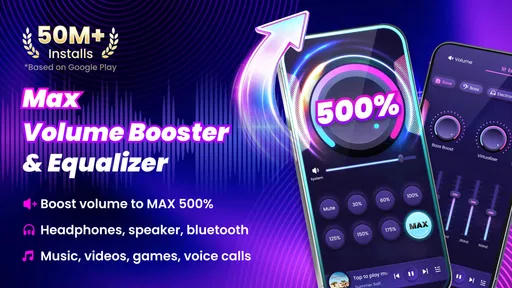
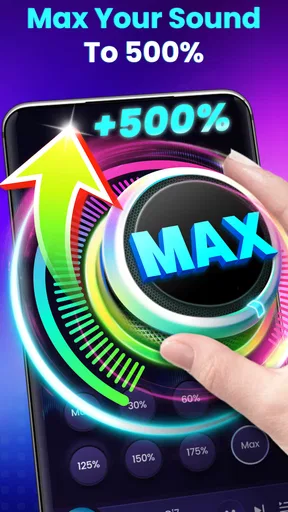
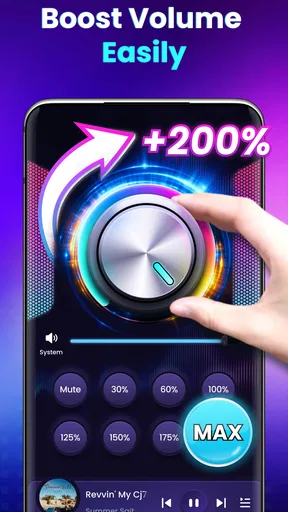
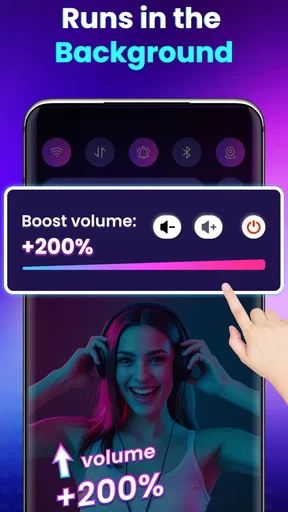
After launching the app, you’re prompted to adjust the settings to your liking. The main screen is where all the magic happens. You’ve got a big ol’ knob that you can twist and turn to boost the volume. It’s super satisfying, not gonna lie. There are also sliders for bass and treble, so you can customize the sound to suit your preferences.
Features That Stand Out
One of the things I love about Volume Booster - Sound Booster is its simplicity. But don’t let that fool you—this app is packed with features that make it a must-have for sound enthusiasts.
- Volume Boost: This is the star of the show. It effortlessly enhances the volume, whether you’re listening to music, watching videos, or taking calls. It’s like your phone suddenly found a hidden reserve of power!
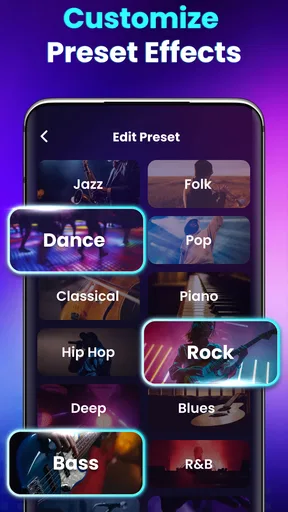
- Bass and Treble Control: I’m a sucker for good bass, and this app delivers. You can adjust the bass and treble to get the perfect sound quality. It’s like having a mini equalizer in your pocket.
- User-Friendly Interface: No need to be a tech wizard to figure this one out. The interface is clean and straightforward, making it easy to tweak settings on the fly.
Real-Life Testing
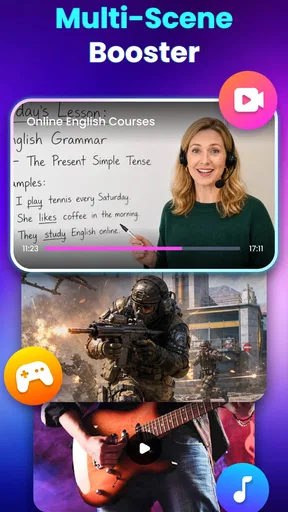
I decided to put the app to the test in a few different scenarios. First up, I tried it while listening to music on my commute. The difference was night and day. My usual playlist suddenly felt more vibrant and immersive. I could hear details in songs that I’d never noticed before.
Next, I used it for watching videos. Let’s just say, Netflix marathons are a whole new experience now. Dialogues are crystal clear, and background scores have more depth. It’s like having a personal theater in your hand.
Finally, I tested it during a call. I could hear the other person as if they were right next to me. It’s perfect for those moments when you’re in a noisy environment and need to catch every word.
What to keep in mind during daily use
A realistic example is a quiet cooking tutorial playing from the phone on a counter while water is running. A small boost may make the instructions easier to follow, but I would still keep the phone away from splashes and avoid placing its speaker against a surface that muffles it. If the sound remains unclear, captions or a quieter spot may solve the problem better than adding more volume.
For commuting, headphones can help more than a large boost from a phone speaker, especially where outside noise is present. I would set a comfortable level before leaving home, then avoid repeatedly raising it to compete with traffic or transit noise. Loud playback in a noisy environment can be tiring, and a booster does not make that listening situation safer.
One useful habit is to compare the same short passage before and after changing a setting. Speech is particularly revealing: if consonants become harsh or voices sound fuzzy, reduce the boost rather than assuming that louder means clearer. With music, listen for crackling or flattened peaks on the loudest parts of a track. If those appear, back off; the source or speaker may already be at its limit.
Current position and product details
Volume Booster - Sound Booster is a free music and audio app from 360 Tool. It has a 4.7 average from around 676,000 ratings, and it has been installed over 50 million times. That reach suggests many people are looking for a quick way to make phone audio louder, but popularity does not guarantee the same result on every phone, speaker, or pair of headphones.
The app is rated for Everyone, and its current version is 2.7.1.56. It was released on February 6, 2023, and supports Android 6.0 and later. Those details make it easier to judge basic compatibility, but they do not tell me how a particular device will handle boosted output; I would test gently after installing and keep the phone’s own volume controls in mind.
There are in-app purchases priced from $2.99 to $11.99 per item. Since the app is free to get, I would first decide whether the basic listening experience solves my problem before considering any purchase. A paid option is only worthwhile if it addresses a need I actually have; I would not pay simply in the hope that more amplification will fix a weak speaker or a bad recording.
What changed, and what existing users should expect
The release date and current version give a useful point of reference: this is an app with a versioned release history, rather than an unchanging one-off utility. For someone already using it, the practical question is whether the current build continues to suit their device and listening routine. I would check the version shown on my own device when troubleshooting, since a number alone does not establish that a particular feature or behavior changed.
For a new user, there is no need to chase a version number as though it promises a particular sound outcome. The most important test is still personal: use a familiar clip, compare it at a moderate setting, and see whether the improvement is clear without unwanted harshness. If a phone update or a change of headphones alters the result, revisit the settings rather than assuming the old level remains appropriate.
What I would watch for over time is whether the controls remain easy to understand and whether the app continues to behave predictably alongside the phone’s own audio settings. I would also pay attention to whether a boost applies to the audio I care about, since media, calls, wired headphones, Bluetooth devices, and phone speakers can behave differently. Those are practical checks, not reasons to expect a specific future change.
Real-life testing
I decided to put the app to the test in a few different scenarios. First up, I tried it while listening to music on my commute. The difference was night and day. My usual playlist suddenly felt more vibrant and immersive. I could hear details in songs that I’d never noticed before.
Next, I used it for watching videos. Let’s just say, Netflix marathons are a whole new experience now. Dialogues are crystal clear, and background scores have more depth. It’s like having a personal theater in your hand.
Finally, I tested it during a call. I could hear the other person as if they were right next to me. It’s perfect for those moments when you’re in a noisy environment and need to catch every word.
Choosing it for the right reason
I would skip this app if the main goal is to repair damaged headphones, eliminate noise from a recording, or make a tiny phone speaker sound like a dedicated sound system. Those are different problems. Cleaning a blocked speaker grille carefully, checking the phone’s normal sound settings, trying another recording, or choosing better audio hardware may make a more noticeable difference.
It is also not my first choice for someone who wants detailed music production controls. A simple bass and treble adjustment is convenient for casual listening, but it is not a substitute for a full audio workstation or a more advanced equalizer when precise frequency shaping is the priority. The best fit is someone who wants a quick, understandable adjustment and is willing to use it conservatively.
Wrapping It Up
After spending some quality time with Volume Booster - Sound Booster, I can honestly say it’s a game-changer. Whether you’re a music lover, a movie buff, or just someone who needs a little extra volume, this app has got you covered. It’s like giving your phone a secret superpower.
If you’re tired of straining to hear your favorite tunes or dialogue, give this app a shot. It’s a simple, effective solution that makes a noticeable difference. Just remember to be mindful of your ears—boost responsibly!
Ready to take your audio experience to the next level? You can download Volume Booster - Sound Booster from the Play Store or App Store and see (or hear) the difference for yourself. Happy listening!
Privacy and Permissions
See what permissions an app requests and how it handles your data.
- Photos/Media/Files
- read the contents of your USB storage, modify or delete the contents of your USB storage
- Storage
- read the contents of your USB storage, modify or delete the contents of your USB storage
- Microphone
- record audio
- Wi-Fi connection information
- view Wi-Fi connections
- Other
- view network connections, full network access, change your audio settings, draw over other apps, control vibration, prevent device from sleeping, Google Play license check
Verdict
Strengths of Volume Booster - Sound Booster
- Easy-to-use interface enhances user experience.
- Significant volume increase for audio content.
- Customizable settings for different audio needs.
- Supports various audio formats seamlessly.
- No need for root access on Android devices.
Limitations of Volume Booster - Sound Booster
- May distort sound at very high volumes.
- Ads can be intrusive during use.
- Limited compatibility with some devices.
- Battery drain can be noticeable over time.
- Occasional app crashes on older OS versions.
Other Releases by 360 Tool
View All
App Lock - Fingerprint Lock
Productivity4.6

Video Downloader - HD & Easy
Video Players & Editors4.6
Similar Picks in This Category
View All
YouTube Music
Google LLC4.4

Samsung Music
Samsung Electronics Co., Ltd.3.8

Spotify: Music and Podcasts
Spotify AB4.3

JioSaavn - Music & Podcasts
Saavn Media Limited4.3

Lark Player:Music Player & MP3
Lark Player Studio - Music, MP3 & Video Player4.6

StarMaker: Sing Karaoke Songs
SKYWORK AI PTE. LTD.4.3
Frequently Asked Questions
What is Volume Booster - Sound Booster and how does it work?
Volume Booster - Sound Booster is an app designed to enhance the sound output of your Android or iOS device beyond its default settings. It works by adjusting the audio settings to amplify sound across media players, notifications, and phone calls. This app utilizes advanced algorithms to ensure sound clarity while boosting volume levels.
Is Volume Booster - Sound Booster safe to use on my device?
Yes, Volume Booster - Sound Booster is generally safe to use. However, users should be cautious not to exceed recommended volume levels to prevent potential damage to their device’s speakers or experiencing auditory discomfort. It's advisable to use moderate settings and gradually increase the volume to ensure a safe listening experience.
Does Volume Booster - Sound Booster require root access on Android devices?
No, Volume Booster - Sound Booster does not require root access on Android devices. It is designed to work seamlessly without modifying your device’s root settings, making it easy to install and use without any technical expertise or risk of voiding your warranty.
Will using Volume Booster - Sound Booster drain my device’s battery faster?
Using Volume Booster - Sound Booster may have a minimal impact on battery life, as it processes audio signals to enhance sound output. However, its effect on battery consumption is generally low. It’s recommended to monitor your device’s battery usage to ensure optimal performance while using the app.
Is there a cost associated with using Volume Booster - Sound Booster?
Volume Booster - Sound Booster offers a free version with basic features. However, there may be in-app purchases or a premium version available that unlocks additional features such as ad-free usage, advanced sound customization options, and enhanced audio quality. Check the app store for the latest pricing details.
